Building Financial Models with Claude AI
What is Claude?
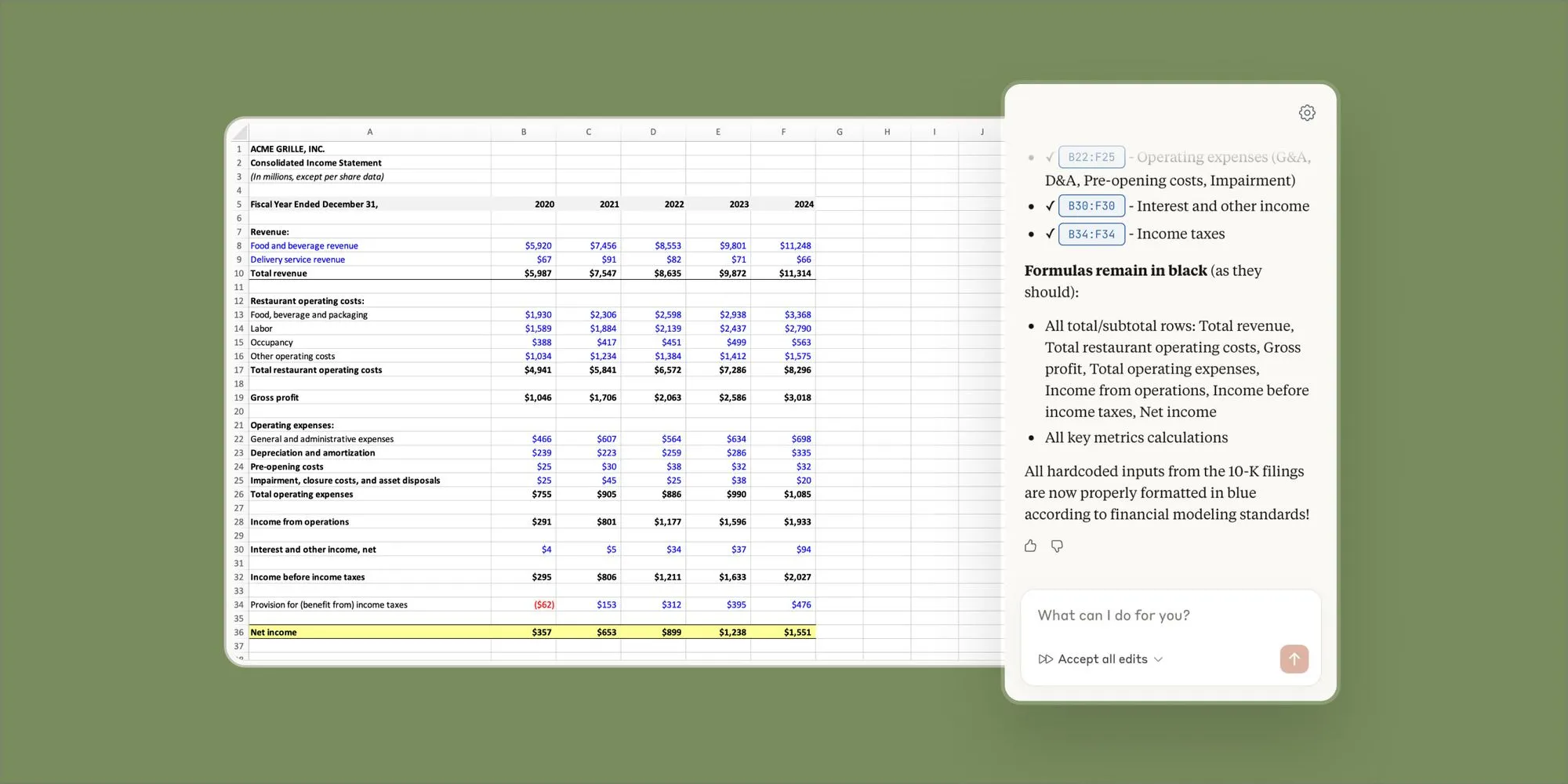
Claude is a next-generation AI assistant and family of large language models (LLMs) developed by Anthropic, designed to be safe, accurate, and highly performant in reasoning, coding, and analysis. Known for its “helpful, honest, and harmless” approach, Claude is a popular alternative to ChatGPT, often used for complex tasks, creative writing, and processing long documents.
Trainer Profile
Purwadi Nitimidjojo
the trainer, started his financial modelling career in early 2005 after working for Indonesian Bank Restructuring Agency (IBRA / BPPN) during the monetary crisis from 1998 through 2004. At IBRA’s Credit Risk Management Division he developed various financial models for debt restructuring and corporate restructuring and learned that most of IBRA’s large debtors hired foreign financial consultants to develop financial models as they didn’t have any resources who could develop proper financial models, and financial modelling training courses were not available back then. This is when he saw an opportunity to deliver financial modelling training courses and develop best-practice financial models for clients in various industries in Jakarta.
In early 2005 Purwadi teamed up with two of his friends and used “Edward, Farral & Peterson” and “Edward & Peterson” as their brands to provide monthly public training courses and financial modelling services until early 2012 before he was hired by Deloitte Financial Advisory as a Financial Modelling Director to do the same. At Deloitte he and his financial modelling team developed best-practice financial models for his clients in various industries for various purposes and delivered monthly financial modelling and Power BI training courses for the public, clients, and Deloitte’s internal staff in Indonesia, Singapore, Malaysia, Thailand, and Cambodia.
After spending 10 years working for Deloitte, he returned to his own financial modelling business and is now working as a financial modelling subcontractor for BDO and Deloitte as well as an independent private financial modelling consultant and trainer.
Baca Juga: Data Analysis & Visualization with Power BI
Schedule 2026
- 22-23 January 2026
- 12-13 February 2026
- 12-13 March 2026
- 16-17 April 2026
- 18-19 May 2026
- 18-19 June 2026
- 16-17 July 2026
- 13-14 August 2026
- 14-15 September 2026
- 15-16 October 2026
- 12-13 November 2026
- 10-11 December 2026
Full Day Training: 09.00 – 17.00 wib
Venue Training
Yogyakarta:
- NEO Hotel Malioboro Yogyakarta
- Royal Malioboro by ASTON Yogyakarta
- Novotel Suites Yogyakarta Malioboro
Jakarta:
- Swiss-Belinn Simatupang, Jakarta Selatan
- Swiss-Belhotel Pondok Indah, Jakarta Selatan
- Ibis Styles Simatupang, Cilandak, Jakarta Selatan
(Kepastian venue akan dikonfirmasikan H-4 sebelum event)
Investment Fee
Yogyakarta: IDR 6,950,000/ Peserta
Jakarta: IDR 5,490,000/ Peserta
- Harga sudah termasuk Training Material, Sertifikat, Lunch & Coffee Break, Souvenir, Door Prize.
- Discount 10% bagi peserta yang mendaftar lebih dari 1 participants dan pembayaran dilakukan sebelum event berlangsung.
- In-House Training: minimal 4 Peserta.
Baca Juga: Prompt Engineering Best Practices for Financial Modeling using Claude AI
Course Overview
Day 1 Agenda — Morning Session
Foundations, Capabilities & First Models
09:00 – 09:30
Prompt Engineering for Financial Modeling
- SMART prompt guidelines for structured output
- Prompt anatomy: context, role, constraints, format
- Chain-of-thought for multi-step calculations
- Course setup: Claude AI & Excel verification
09:30 – 10:30
Financial Models in Decision-Making
- How models drive valuations, M&A, & credit decisions
- Key types: DCF, LBO, 3-statement, budget models
- Common modeling pitfalls & quality benchmarks
- Case study: When models fail
Why Claude AI for Finance
10:30 – 10:45 Break (15 min)
10:45 – 12:00
Why Claude AI for Financial Modeling
- AI landscape: Claude vs. Copilot vs. Shortcut
- Claude’s strengths: reasoning, accuracy, context
- Capabilities & limitations
- Compliance, governance & review frameworks
- Live demo: Claude building a financial calculation
Day 1 Agenda — Afternoon Session
Recap & Revenue Forecasting
13:00 – 14:00
Day 1 Recap & Afternoon Overview
- Morning key takeaways review
- Revenue drivers & assumption setting
- Excel best practices for AI-assisted modeling
14:00 – 15:15
Workshop: Revenue Forecasting Models
- Building a top-down revenue forecast with Claude AI
- Prompt iteration: refining assumptions & growth drivers
- Exporting structured output to Excel spreadsheets
DCF, Working Capital & Wrap-Up
15:15 – 15:30 Break (15 min)
15:30 – 16:45
Workshop: Basic DCF & Working Capital
- Constructing a basic DCF template step by step
- Working capital: receivables, payables, inventory
- Validating AI formulas against manual calculations
16:45 – 17:00
Day 1 Wrap-Up & Q&A
- Key takeaways recap & preview of Day 2
- Homework: practice prompts for overnight preparation
Baca Juga: Financial Modeling Data Process, Analysis & Visualization
Day 2 Agenda — Morning Session
Model Review & 3-Statement Models
09:00 – 09:15
Model Review & Revision
- Systematic audit framework for AI-generated models
- Formula integrity checks & compliance review
- Day 1 key takeaways & Day 2 preview
09:15 – 10:30
Workshop: 3-Statement Integrated Models
- Building a fully linked income statement with Claude AI
- Balance sheet: assets, liabilities, equity
- Cash flow: indirect method, working capital changes
- Linking statements with circular reference handling
- Testing model integrity: plug checks & balancing
Debt Schedules & Covenants
10:30 – 10:45 Break (15 min)
10:45 – 12:00
Workshop: Debt Schedules & Covenant Modeling
- Debt structure: term loans, revolvers, mezzanine
- Amortization schedules & repayment waterfalls
- Interest rate calculations: fixed, floating, PIK
- Covenant compliance: leverage, coverage, DSCR
- Stress testing covenants under adverse scenarios
Day 2 Agenda — Afternoon Session
DCF Valuation & Sensitivity Analysis
13:00 – 13:45
Morning Recap & Afternoon Overview
- Key learnings from morning workshops
- Preview of advanced models & capstone project
13:45 – 14:45
Workshop: Full DCF Valuation Model
- WACC calculation, unlevered FCF projections
- Terminal value: Gordon growth vs. exit multiple
14:45 – 15:30
Sensitivity & Scenario Analysis
- One-way & two-way data tables for key assumptions
- Three-or-more-way data tables for key assumptions
Capstone & Course Wrap-up
15:30 – 15:45 Break (15 min)
15:45 – 16:45
Capstone: Complete End-to-End Model Build
- Build a full financial model from assumptions to output
- Peer review: exchange models for audit practice
16:45 – 17:00
Course Wrap-Up & Q&A Session
- Wrap-up
- Q&A Session
Baca Juga: Financial Modelling Fundamental using Excel
Course Objectives
Upon successful completion of this training, participants will be able to:
- Understand Financial Models
Grasp the role of financial models in valuations, M&A, credit analysis, budgeting, and risk assessment - Apply Prompt Engineering
Master prompt techniques specifically designed for financial modeling, from simple queries to complex multi-step prompts - Build Core Financial Models
Create revenue forecasts, DCF templates, working capital models, and 3-statement integrated models with Claude AI - Construct Advanced Analyses
Build debt schedules, covenant models, DCF valuations, and sensitivity & scenario analyses - Review & Audit AI Models
Ensure compliance with best practices, verify formula integrity, and meet professional standards - Deliver End-to-End Models
Complete a capstone project demonstrating full AI-augmented financial modeling proficiency
Baca Juga: Financial Modelling Fundamental using Excel
Prerequisites & Who Should Attend
Prerequisites
✓ Excel Proficiency: Intermediate-level Microsoft Excel Skills (formulas, functions, data tables)
✓ Financial Literacy: Basic understanding of financial statement (income statement, balance sheet, cash flow)
✓ Accounting Fundamentals: Working knowledge of core accounting principles and concepts
✓ Claude AI Account: Active Claude AI Subscription (Pro or Team plan recommended)
✓ Laptop Required: Bring your own laptop with Microsoft Excel and internet access
✓ Growth Mindset: Willingness to learn AI tools and adapt workflows
Who Should Attend
→ Financial Analysts: Analysts building models for investment decisions, valuations, and reporting
→ FP&A Professionals: Planning and analysis teams seeking to accelerate budgeting and forecasting
→ Investment Bankers: IB professionals building deal models, pitch books, and transaction analysis
→ Corporate Finance Teams: Treasury, M&A, and strategic finance professionals
→ Consultants: management and financial consultants creating client-facing models
→ Finance Managers: Leader overseeing model development wanting to leverage AI tools
What You’ll Walk Away With
Tangible deliverables and skills every participant takes home after the 2-day program
Financial Model Templates
- Revenue forecasting model
- Working capital model
- Debt schedule & covenant model
- 3-statement integrated model
- Sensitivity & Scenario Analysis
- Full DCF valuation model
Prompt Engineering Toolkit
- 50+ tested financial modeling prompts
- SMART prompt guidelines reference
- Prompt templates for each model type
- Chain-of-thought prompt patterns
- Error detection prompt library
Skills & Competencies
- AI-augmented model building workflow
- Model review & audit techniques
- Sensitivity & scenario analysis skills
- Formula integrity verification
- Best practice compliance checks
Learning Resources
- Course slide deck (80 slides)
- Quick-reference cheat sheets
- Post-course learning roadmap
- Access to course community